

Please,
Вход
or
Регистрация
to view URLs content!
What you’ll master in this course
- Craft and refine visuals for video content with Photoshop—leverage layers, adjustment tools, masking techniques, and retouching to get polished results.
- Gain confidence in video editing: work with timelines, trim clips precisely, apply smooth transitions, perform color grading, mix audio tracks, and configure export settings tailored for YouTube, Instagram, and client deliverables.
- Bring graphics to life with motion: design animated text, logo reveals, lower thirds, dynamic transitions, and eye‑catching visual effects using masking and keyframing.
- Master an end‑to‑end creative pipeline: start with design in Photoshop, move to animation in After Effects, then finish with professional editing in Premiere Pro.
- Boost your productivity with presets, templates, keyboard shortcuts, and streamlined workflows that help you deliver high‑quality projects efficiently and at a professional standard.
Prerequisites
- A computer with basic functionality.
- The required software installed (Photoshop, Premiere Pro, After Effects).
Course overview
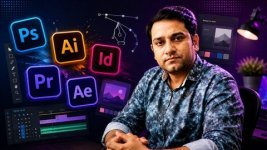
Dive into the Comprehensive Video Editing & Motion Graphics Bootcamp—a unified learning path that equips you to excel as a video editor, motion designer, and content creator. Using Adobe Photoshop, Premiere Pro, and After Effects, you’ll build skills across graphic design, video production, and motion graphics in a single, cohesive program.
Whether your goal is to produce engaging YouTube videos, cinematic promotional clips, animated graphics, custom thumbnails, or polished client projects, this course walks you through the entire creative process. You’ll start from the fundamentals and progressively develop the expertise to handle real‑world workflows.
The curriculum blends three core areas:
- Photoshop: foundational to advanced graphic design for video.
- Premiere Pro: professional video editing techniques, from basic cuts to advanced features.
- After Effects: motion graphics from interface basics to powerful hidden tools and effects.
What sets this course apart is its integrated approach: instead of treating each tool in isolation, it shows you how to use them together as a seamless production stack:
- Use Photoshop to create and prepare graphics.
- Use After Effects to animate those assets.
- Use Premiere Pro to edit the footage and finalize the project.
By the end of the course, you’ll be able to independently produce complete, professional‑grade content—following the same workflow used by leading editors and designers globally.
What’s included
- Lifetime access to all course materials, plus any future updates.
- Ongoing support from the instructor via Q&A.
- A certificate of completion to showcase your skills.
Who this course is designed for
- Beginners looking to learn Photoshop, Premiere Pro, and After Effects from the ground up.
- Content creators aiming to design thumbnails, edit videos, and add motion graphics for YouTube, Instagram, and other social platforms.
- Video editors who want to expand their skill set with animation capabilities.
- Students and creative learners exploring multimedia production and animation.
- Freelancers seeking to offer full‑service video, motion, and design solutions to clients.
- Anyone pursuing a career in video editing, motion graphics, or digital content creation.
Please,
Вход
or
Регистрация
to view URLs content!