

Source
Compositing Special Effects in Photoshop: Master 2 Scenes
Compositing special effects in Photoshop for beginners: plan your vision, align layers, blend color and light, Pen Tool selections, sky swaps, and layer masks.
 phlearn.com
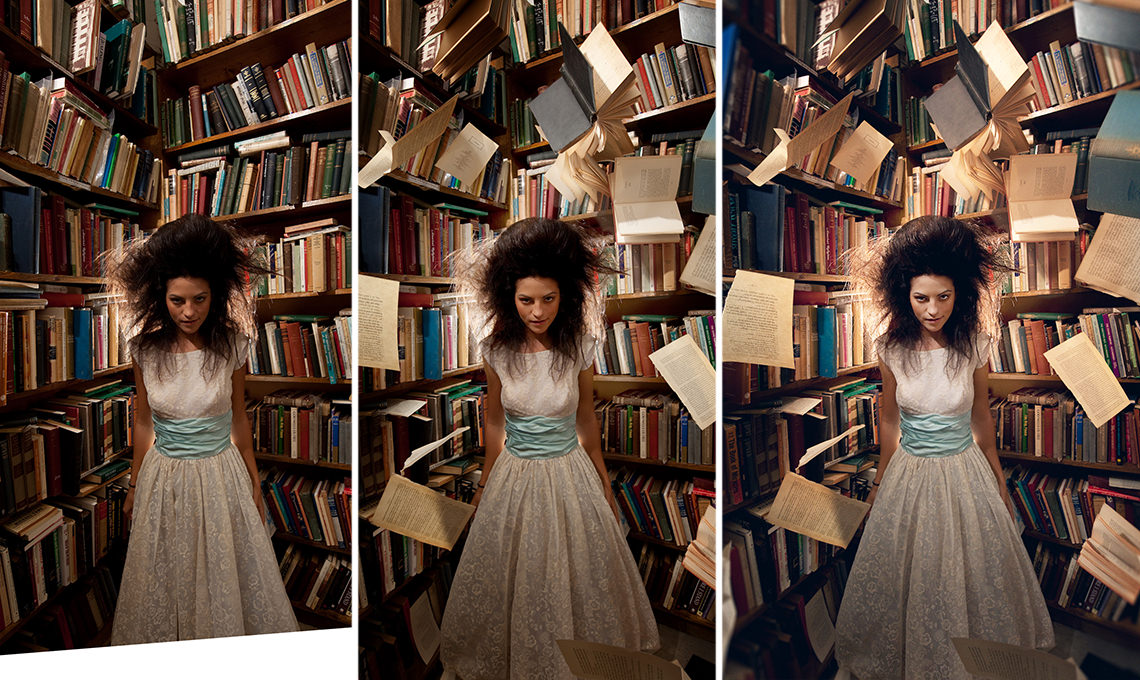
Want to turn ordinary photos into extraordinary scenes? Learn how to blend images and add special effects like a pro. In this tutorial series, we’re not just showing tricks — we’re building two complete fantasy images from scratch. You’ll see exactly how to make multiple photos feel like one world: matching colors, syncing light, and making every element sit perfectly together. Whether you dream of floating books or surreal underground scenes, these projects give you a repeatable workflow you can apply to any composite.
What you’ll create and master:
- Two full composites: the Floating Books fantasy portrait and the surreal Going Home scene.
- Practical skills: planning a composite, combining multiple images, color matching, sky replacement, retouching, and consistent lighting.
- A dedicated deep dive into the Pen Tool for clean, professional cutouts that elevate every composite.